WebMCP skipped a step
What if web pages all had their own api?
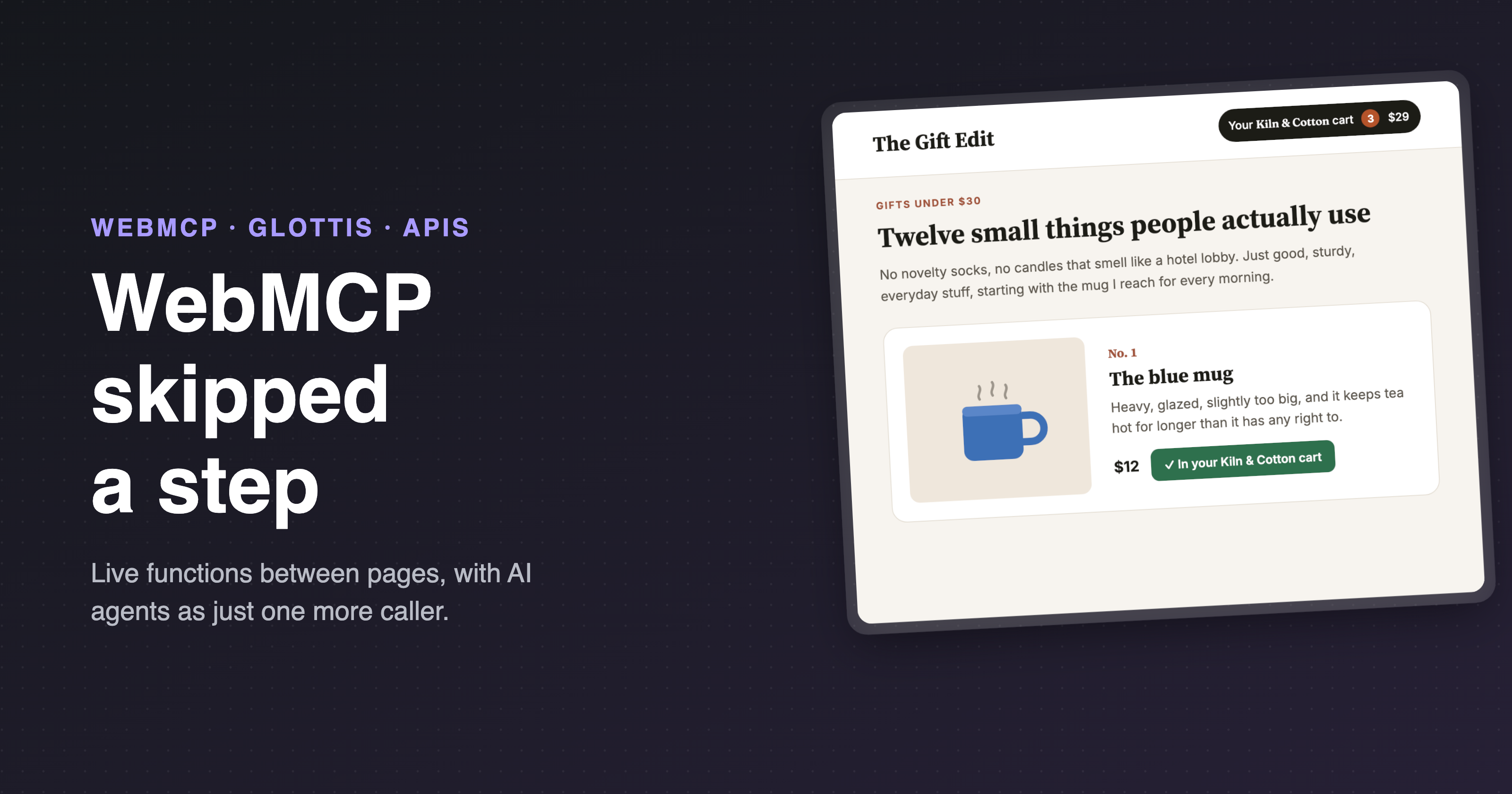
Everybody wants AI agents to be able to use their website right now.
The browser's answer to that is WebMCP, and I think it's a good idea, but I also think it skipped a step along the way.
Before a page offers tools to AI agents, I'd argue that it should have a proper client side api that any code can call.
- Callable by other sites, browser extensions, or scripts on the same page.
- Composed of real functions and callbacks.
- Giving a deterministic, structured, programmatic result.
Get that right and the agent tools fall out for free, the same way the best MCP servers fall out of APIs that already existed. Skip it, and the agent MCP tools become the de-facto api, and a pretty awkward one.
I built something to test that theory, called glottis. If you just want the code, it's on GitHub, otherwise here's the pitch.
First, a story with no AI in it
How would a client-side api like this work?
Say you're reading The Gift Edit, a little gift guide blog, and its first recommendation is a blue mug from Kiln & Cotton, a shop you've bought from before.
- The blog loads the shop in a hidden iframe, and asks it what it can do. Kiln & Cotton answers with a short list: add something to a cart, and tell you when the cart changes. That's the shop's API, and the shop decides what's on it.
- The blog asks to hear about your cart. It calls the shop's
onCartChange, handing it a function to call whenever the cart changes, and the shop calls that function right away to provide the initial cart state: 2 items, $17.
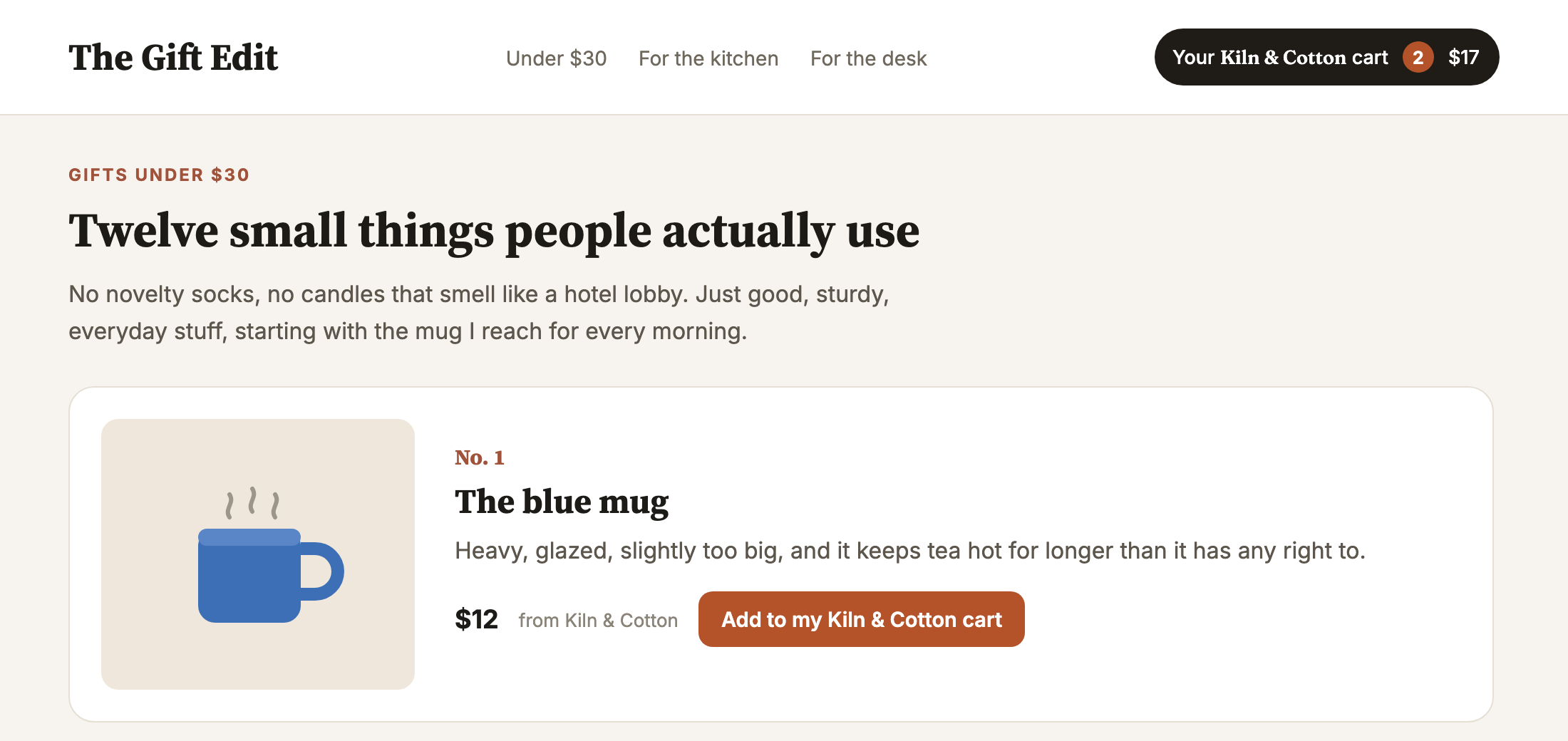
- You click "Add to my Kiln & Cotton cart". The blog calls the shop's exported
addToCartfunction. The shop adds the mug to your actual Kiln & Cotton cart, in its own page, under its own rules. - The shop calls the blog's function again, and the pill updates itself: 3 items, $29.
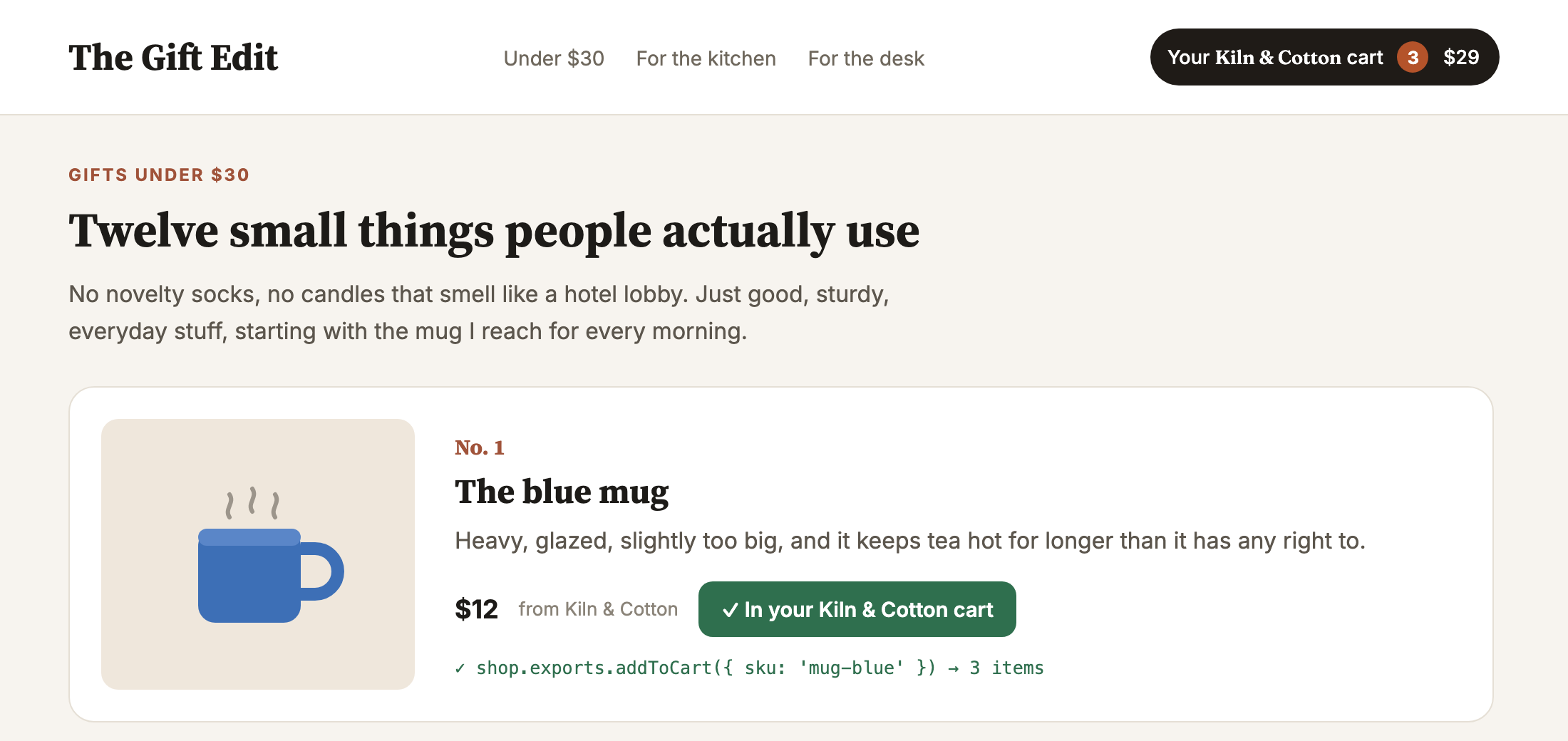
That's it from your side: you never left the page you were reading, there was no new tab, no "log in to continue", and no hunting for the product again on the shop's site.
It's also interesting what didn't happen. The blog never saw your account, your password, or anything about your cart beyond what the shop chose to tell it, and there was no OAuth, no API keys and no scraping involved. Just two sites, one of them talking to the other through a proper API, right there in the browser.
Nothing in that story involves an AI, but an AI agent trying to buy you that mug needs exactly what the blog had: a function on the shop that it can call. That's normally where WebMCP comes in.
Wait, what's WebMCP?
A regular MCP server lives behind someone's domain. An AI app like ChatGPT or Claude connects to it, logs in as you, and calls its tools over HTTP.
WebMCP flips that around. The browser page you already have open calls registerTool() with a name, a description, a schema and a function. From then on, an agent working in your browser can call it directly, with no scraping, no guessing which button is "Add to cart", and no screenshots.
Why put tools like this on the front end instead of behind a server API?
- You're already logged in. The tool runs in a tab where you're signed in, so there's no separate auth, no API keys, and no second integration to build.
- The page knows a metric ton of stuff the server doesn't. What's on screen, the half-filled form, the filters you just picked, whatever's sitting in local storage.
- You can see what's happening. The agent works in the same page you're looking at, so you can watch it, and the page can ask you before doing anything risky.
- There's no backend to build. For a lot of sites, the front end is where all the real functionality is wired up already. Exposing a few functions there is far less work than standing up and securing a public MCP server.
So WebMCP isn't trying to replace MCP servers, it's a different place to put tools, and one that happens to be where most of the web's functionality already lives.
The cart before the horse
Think about how MCP servers have turned out on the server side. The best ones usually sit on top of an API that already existed. Stripe had an API for well over a decade before it had an MCP server, and the MCP server is a pretty thin layer over it. The API was designed for any caller, it's been battle tested by thousands of them, and the agent is just one more client.
In the browser we're starting from the other end. A web page has no formal API at all for other code to call. Say I want to put something in your cart on a shop's site, initiated from another site, an extension, or an agent. My options are: scrape the DOM, or invent a postMessage protocol and hope the shop implements it too. Both are kinda soul-crushing.
WebMCP does give the page an API of sorts, it's just shaped for agents. You can call a page's tools from code, with executeTool(), but you get JSON in and a string out, no callbacks, and nothing like a cart object you can hold onto between calls. I mean, it works, it's just not something you'd choose to build an integration on.
If pages only ever expose MCP tools, people will use them programmatically anyway, because it's the only API there is. Whatever surface ships first tends to become the de-facto API, whether or not it was designed to be one.
So my bet is: give the page a proper API first, one that's pleasant for any caller, and let the agent tools fall out of it. That's what glottis aims to do.
A page with an API
Here's the code behind the add-to-cart half of the story (the function that keeps the pill up to date comes next). Kiln & Cotton serves its API:
// On kiln-and-cotton.example

import { serve } from 'glottis';

serve({
    clients: {
        remoteWindow: {
            allowed: true,
            domain:  'https://the-gift-edit.example'
        }
    },

    exports: {
        addToCart: ({ sku, quantity }) => {
            // the shop's own cart code
            return cart.add({ sku, quantity });
        }
    }
});
And the blog connects to it and calls it:
// On the-gift-edit.example

import { connect } from 'glottis';

const shop = await connect({
    url: 'https://kiln-and-cotton.example/api'
});

await shop.exports.addToCart({ sku: 'mug-blue', quantity: 1 });
That's the whole integration. connect() opens the shop in a hidden iframe, waits for it to say hello, checks its origin, and hands you its exports, and there's no shared library, message listener or message names to agree on.
The shop stays in charge: the clients block says which sites may connect, and the shop can ask the visitor first, in its own UI, before handing anything over.
Browsers can be strict about cookies in iframes from other sites, so inside the hidden iframe the shop starts out signed out. If the shop needs the reader's session, it can ask for storage access with one click.
Functions should cross the boundary
This is a part I care about a lot, and it shows up in a lot of my previous work, e.g. zoid and post-robot.
When two pages talk today they pass data, and when they need to refer to something they pass an ID (a cart ID, a subscription ID, a request ID), and then every message after that has to carry the ID along with it.
Inside a single page we have the option of returning objects with methods on them, and passing callbacks. glottis lets you do the same across the page boundary.
So let's grow Kiln & Cotton's API a bit. Instead of a single addToCart, it hands back a cart object with methods on it. And it adds the onCartChange from the story, which takes a callback:
// On kiln-and-cotton.example
serve({
    clients: {
        remoteWindow: {
            allowed: true,
            domain:  'https://the-gift-edit.example'
        }
    },

    exports: {
        openCart: () => {
            const cart = getCart();

            return {
                items: cart.items,

                add: ({ sku, quantity }) => {
                    return cart.add({ sku, quantity });
                },

                checkout: () => {
                    return cart.checkout();
                }
            };
        },

        onCartChange: (notify) => {
            const listener = getCart().listen(notify);

            return () => {
                listener.stop();
            };
        }
    }
});
And the blog uses it like any other object:
// On the-gift-edit.example
const cart = await shop.exports.openCart();

await cart.add({ sku: 'mug-blue', quantity: 1 });

const stop = await shop.exports.onCartChange(({ count, total }) => {
    pill.textContent = `${ count } items, $${ total }`;
});

// later, when the blog no longer cares
await stop();
There are no cart IDs anywhere, because the cart's add already knows which cart it belongs to: it closed over it. The callback I pass to onCartChange is a real function that runs on my page whenever the cart changes, which is how the pill in the story keeps itself up to date. The function I get back stops exactly the listener I started, and nothing else.
I wrote about this idea back in 2021, when it was powering zoid and post-robot at PayPal. The argument hasnt changed: a function is the most natural request-and-response interface there is, and a tightly scoped one is safer too. A logout function bound to one user can only ever log out that user. A logout(userId) handler has to be very carefully guarded against everybody else's userId.
Who would actually call this?
Today, I think it's mostly two kinds of caller:
- Pages that embed other pages. A parent page talking to an iframe is the big one: a gift guide adding things to your cart on a shop, a travel site embedding an airline's seat picker, a dashboard pulling in a widget from another service. Popups are the same idea, for things like logging in or paying where you really need a url bar to be present.
- Browser extensions. Instead of scraping the DOM and breaking every time a site ships a redesign, an extension running in the page can call the page's API. For example, a price tracker could just ask the shop for prices.
And then there's the stuff I'm more speculative about, none of which glottis does yet:
- Browser automation. A Playwright script, or a testing tool, that calls
checkout()instead of clicking through four screens and hoping the selectors still match. - Other tabs and workers. Two tabs of the same app, or a service worker, talking through the same interface as everything else.
- Apps hosting web views. A native app embedding a web page and calling into it, instead of injecting JavaScript and parsing strings back out.
- Assistants outside the browser. Desktop and OS-level assistants that drive the browser for you, and would much rather call a function than click a button.
Agents are on that list too, of course.
Agents come for free
To let agents in, the shop does two things: it wraps the functions it wants agents to see in tool(), which adds a description and a schema, and it turns on the webMcp client. Here's the first example again, with both:
// On kiln-and-cotton.example
import { serve, tool } from 'glottis';
import { z } from 'zod';

serve({
    clients: {
        remoteWindow: {
            allowed: true,
            domain:  'https://the-gift-edit.example'
        },
        webMcp: {
            allowed: true
        }
    },

    exports: {
        addToCart: tool({
            description: 'Add a product to the cart',
            input:       z.object({
                sku:      z.string(),
                quantity: z.number().int().min(1)
            }),
            handler: ({ sku, quantity }) => {
                return cart.add({ sku, quantity });
            }
        })
    }
});
Now addToCart is a WebMCP tool, registered with the browser. It's also still a normal function for the blog, and its arguments are validated either way. Functions the shop doesn't wrap in tool() stay available to code, but agents never see them.
That's one definition for every kind of caller, so there's no second list of tools to keep in sync with your "real" API.
Bound tools: methods, for agents
Now for the experimental bit. In code, openCart() gives you back a cart with an add method on it. An agent can't hold onto an object, so MCP servers today usually hand it IDs instead: create a cart, get back a cart ID, then pass that ID into every call after it. That means the model has to copy an ID out of one result and into the next call, character for character, and that's exactly where LLMs slip. They drop a character, mix up two carts, or just make one up.
Bound tools take the IDs out of the model's hands. When a tool returns an object with methods on it, each method becomes a new tool, already tied to that object. Call openCart and you get a tool for adding to that cart, check out and you get one for tracking that order, and the model never has to write an ID at all.
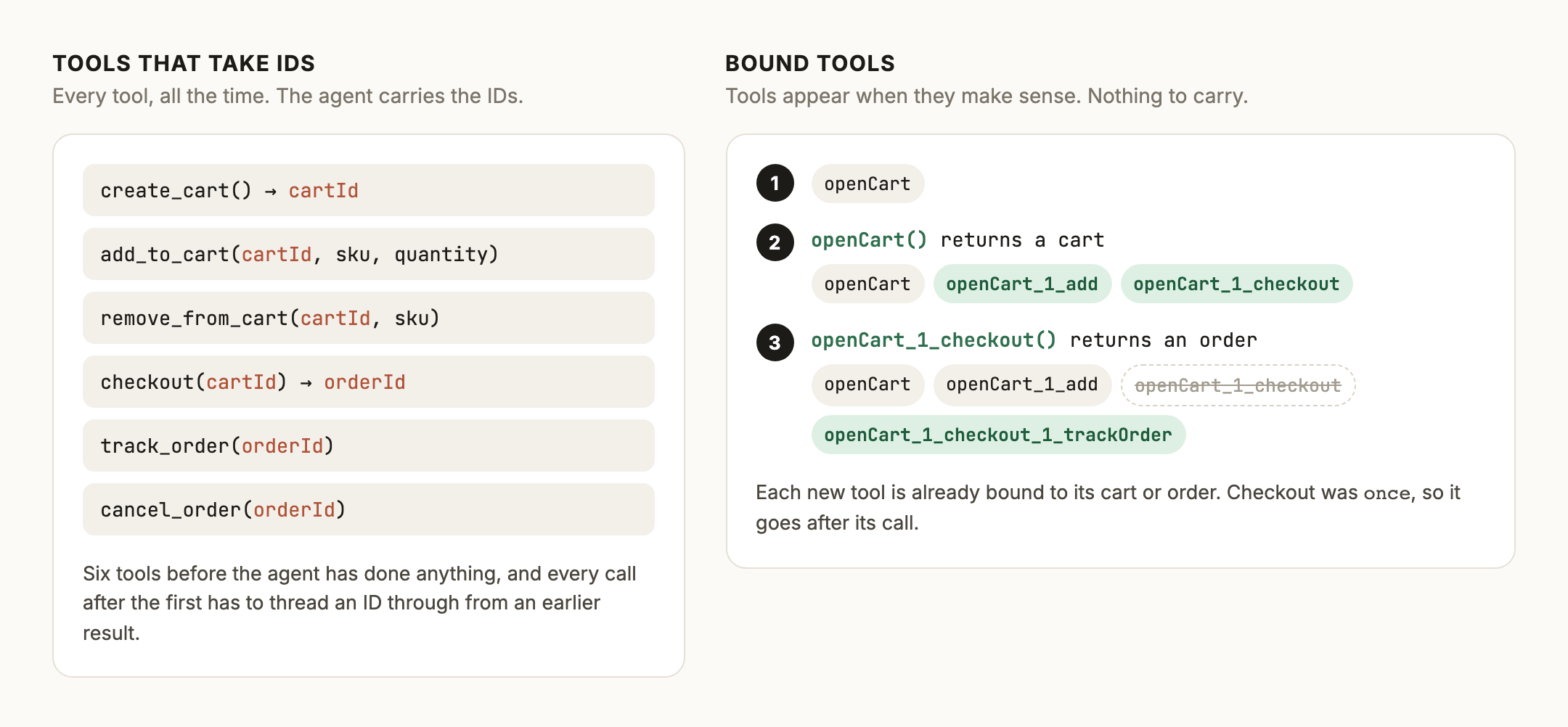
It's basically HATEOAS for agents: responses that come with links for what you can do next. Most JSON APIs skipped that part, because a human writes the client once, and humans are pretty good at plumbing IDs around. A model is a different kind of client: it reads every response fresh and decides what to do next from it. So I think MCP might have missed a trick by not borrowing the idea.
It worked nicely when I pointed Claude at a little test shop, but it's early days, so it's marked experimental. I'd love to hear how it goes if you try it.
Why not just use ...?
I looked hard at the existing options before writing yet another one. Here's where they land, and why I didn't just adopt one.
- Plain
postMessageis fine for a message or two. Past that, you're hand-writing request IDs, origin checks, timeouts and response matching, and you still can't send a function. - Penpal is the closest in spirit, a handshake and then methods. But arguments and results are copied as plain data, so a callback or a returned object with methods doesn't make it across, and you're back to IDs. You also create and manage the iframe yourself.
- Comlink is great for Web Workers. Functions only cross if you wrap each one in
Comlink.proxy(), which gets tedious fast for nested objects, and it leaves opening frames, handshakes and origin checks entirely to you. - Cap'n Web is really impressive, with tricks like promise pipelining. It asks you to explicitly dispose of every reference you're handed, which I think is the wrong default for a browser API where most callers will forget. And like the others, frames and origins are your problem.
- MCP-B runs real MCP over
postMessage, so you write an MCP server inside your page. It's good work, but it's the MCP-first ordering: code callers get JSON in and text out, and no live references. - WebMCP itself is where glottis plugs in, not something it replaces: if it ships, glottis registers your tools there, and if it doesn't, your page still has an API.
- post-robot and zoid are mine, and glottis runs on post-robot. zoid is for components, where both sides share a definition and zoid renders the frame. glottis is for APIs, with a page that can run hidden.
Where it runs today
WebMCP is a draft, and in Chrome it's behind a flag. A page inside an iframe can only offer tools if every page above it grants the tools permission, and lots of hosts don't.
ChatGPT is one of them, so out of the box native WebMCP can't reach a page inside a ChatGPT app. glottis can though, since it's just postMessage underneath. That's how my ChatGPT bridge works: a ChatGPT app opens a shop in a little in-chat browser, and the model calls the shop's tools through glottis.
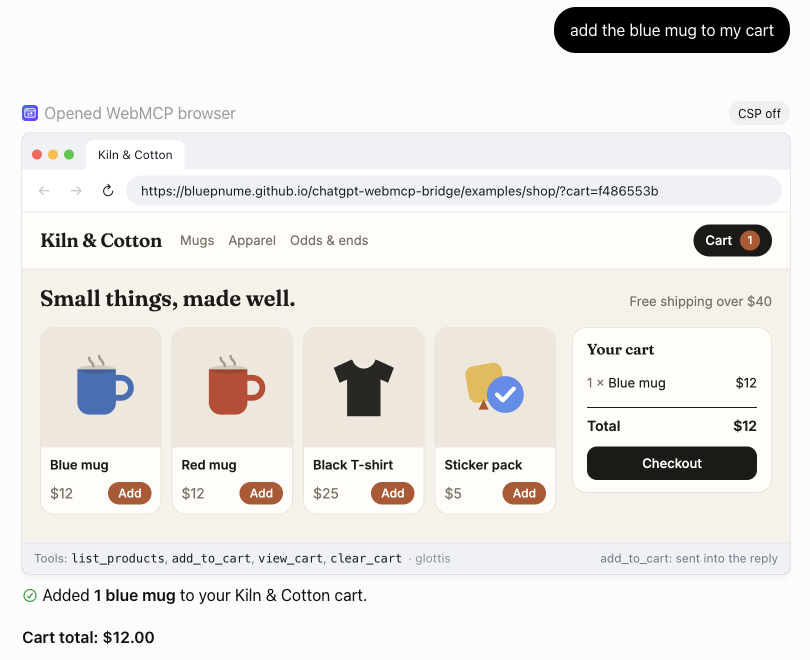
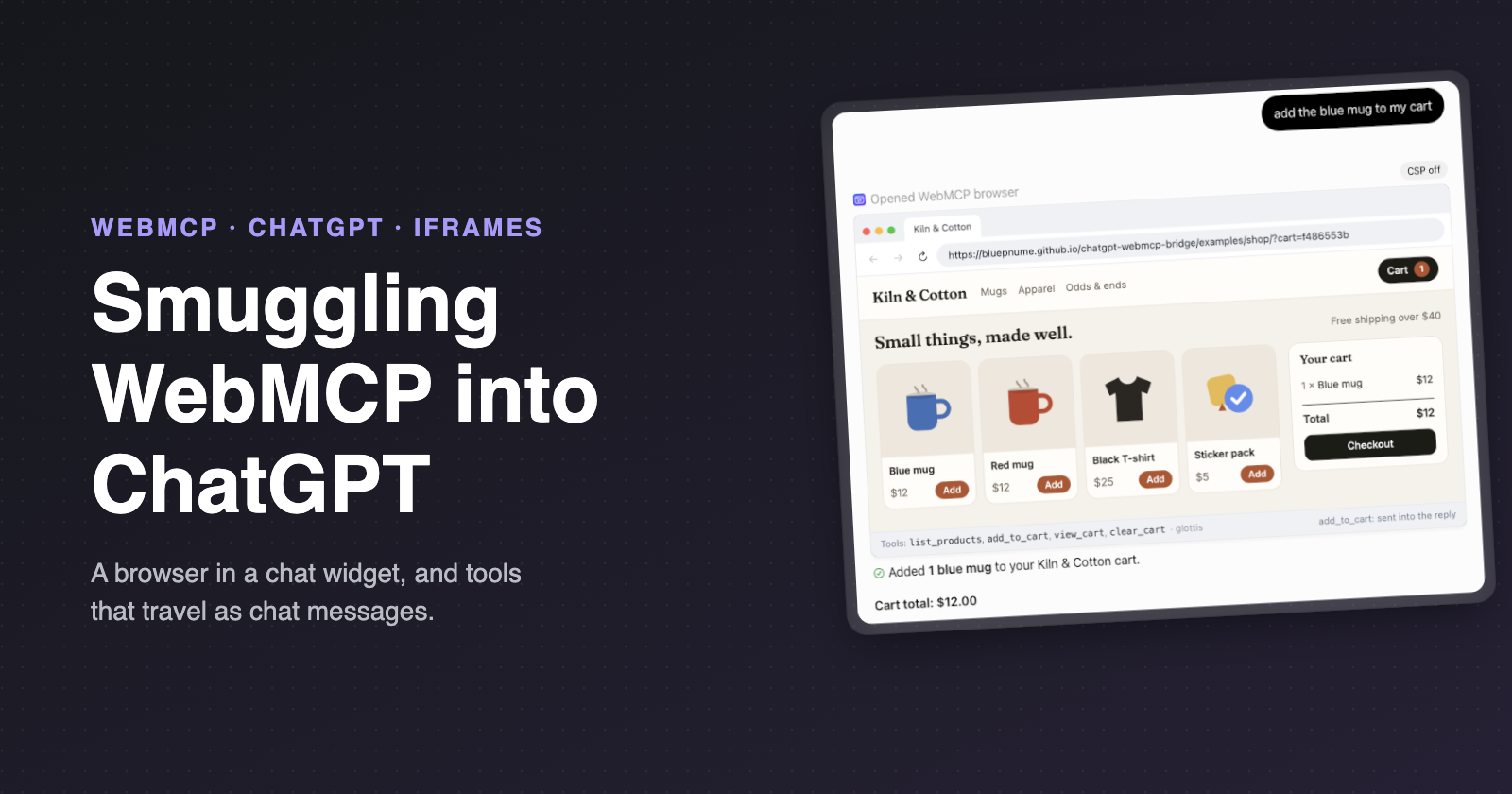
ChatGPT adding a blue mug to a shop's cart, through tools the shop serves with glottis.
glottis and the bridge are two halves of one idea: give a page a proper API, and it can talk to whatever's on the other side, wether or not the browser has caught up. There's a lot more to the ChatGPT side than that, and it has its own post:
Try it
npm install glottis
Or drop in the script tag and use window.glottis:
<script src="https://unpkg.com/glottis@0/dist/glottis.min.js"></script>
Everything is on GitHub, and it's on npm as glottis. It's MIT licensed and very much 0.x, so expect things to change!
Give it a try! If you think the whole idea is wrong, I'd love to hear that too.
and if anyone working on WebMCP is reading: a way to hand an agent a function reference instead of a tool name would make bound tools a lot less of a hack. Just saying.
Comments
Join the discussionNo comments yet. Be the first to comment.