Iframes should have an api
Who said apis are just for the server side?
Every server has an api. Almost no web page does.
If you want to use a site's functionality from your own code, you call its api, on the server. But if what you want is a web page's functionality, from your own page -- put something in a cart, say, or read a price -- you have two options: scrape the DOM, or invent a postMessage protocol and hope the other page implements it too. Both of these are soul-crushing hacks
Back at PayPal, I built zoid to make iframes feel like React components. You create a component, give it a name, point it to a url, and anyone can render it onto their page and pass down props and callbacks, as if it were a regular same-domain component. It went on to power PayPal's checkout buttons, and I've written about it a lot, elsewhere. But there's one thing about zoid I never really questioned: the parent is always in charge. The parent renders the frame, the parent passes down the props, and the child does its thing and calls a callback when it's done. Data down, actions up. That works really well for a component. It turns out it's a pretty bad fit when what you want from the other page is an api.
So I had a thought: what if we flip it? What if the page in the iframe was the one with the api, and the parent just called it?
That's what I've been hacking on for the last couple of weeks, and I've dubbed it glottis. (The code is on GitHub, if you'd rather just read that.)
zoid, inside out
The idea is, the page in the iframe calls serve() with some functions, and says who is allowed to call them. Any other page calls connect(), and gets those functions back as regular async functions it can just call. There's no definition to share and nothing to render, and the caller finds out what the page offers when it connects.
Let's say I run a shop that sells Zoids model kits. (What else would it sell?) And let's say Zoid Reviews, a fan site, wants to let its readers buy the kit they're reading about without leaving the review. This is how it looks:
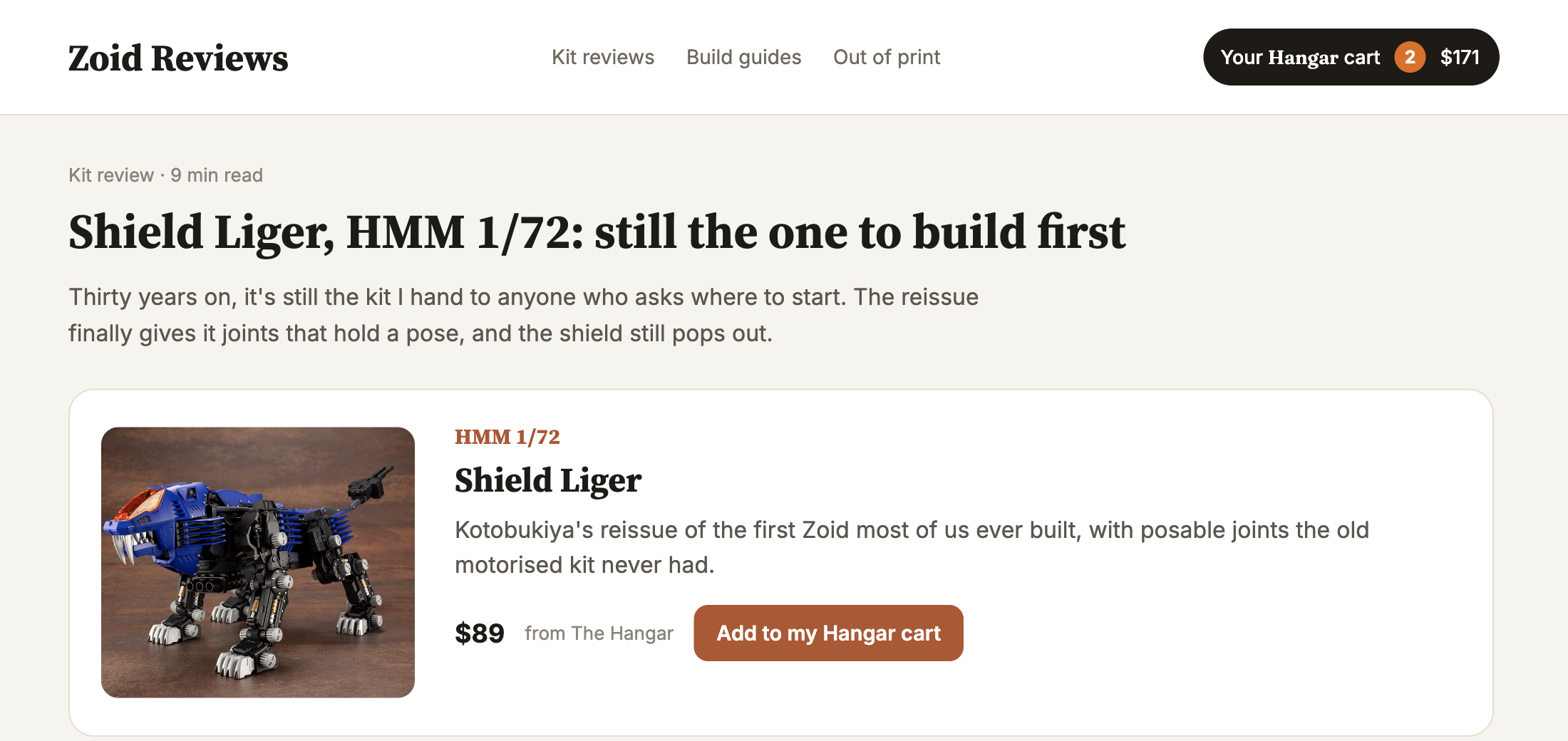
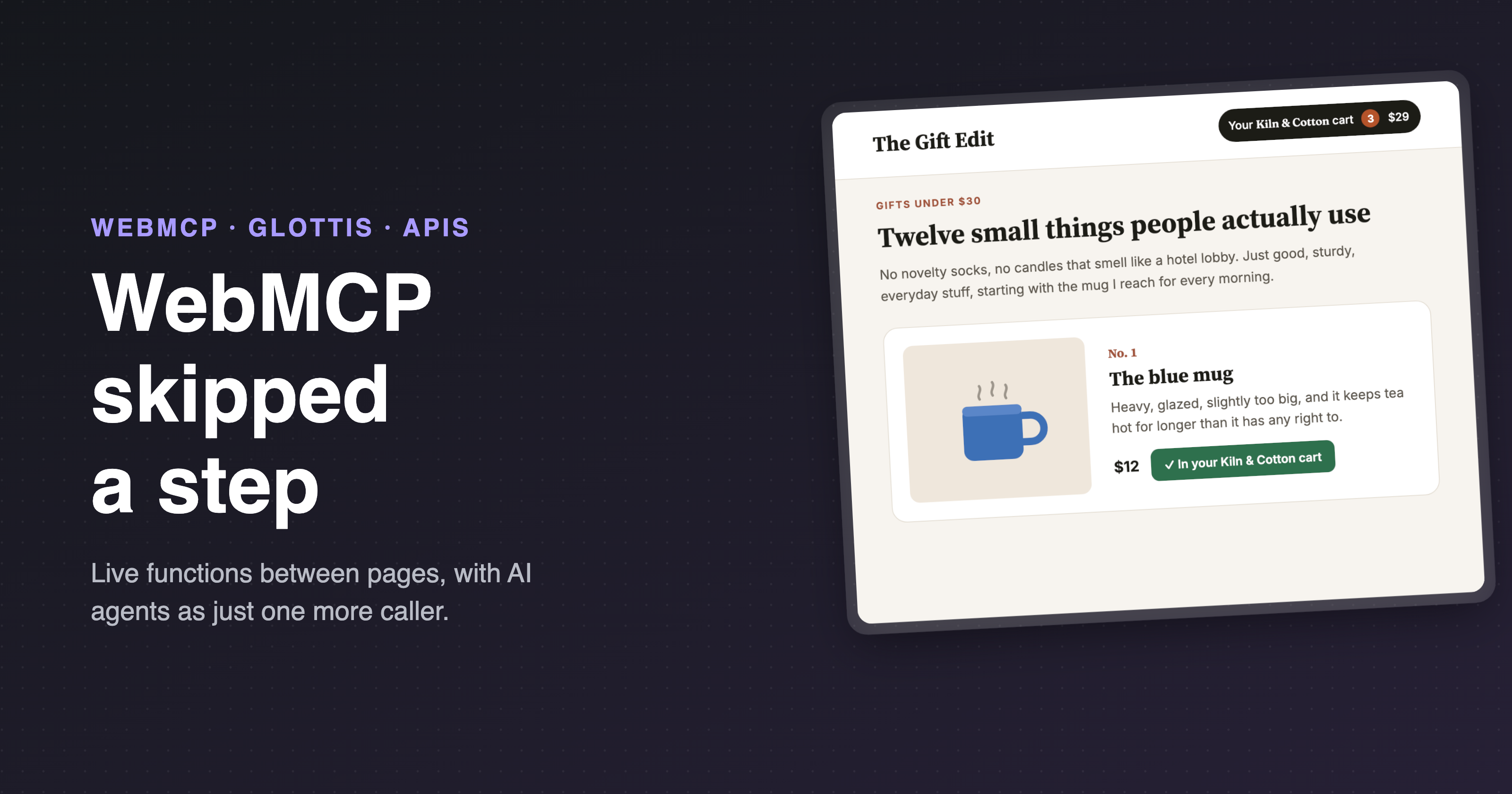
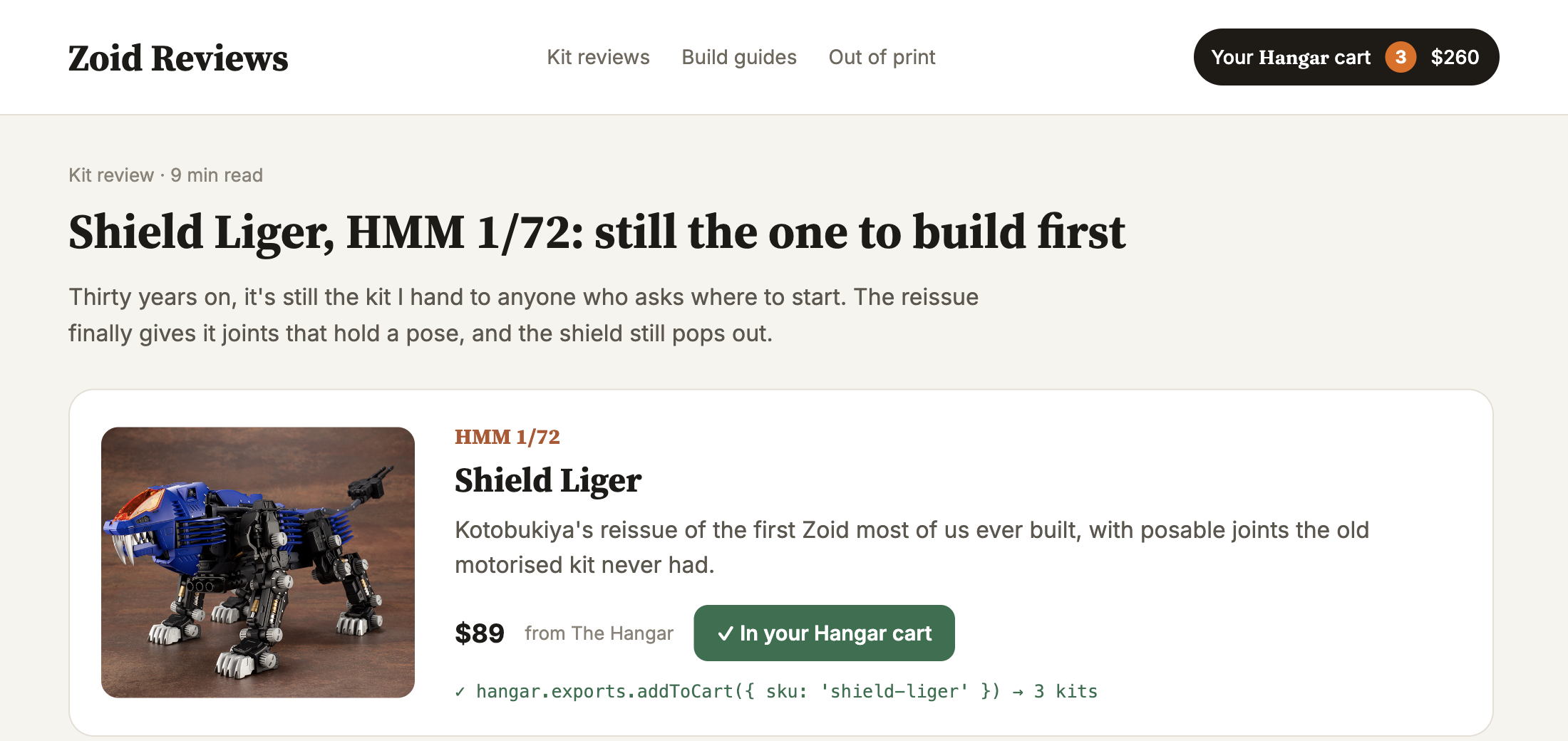
You click the button, and the Shield Liger lands in your actual Hangar cart, in the shop's own page, and the pill in the header updates itself:
Here's the shop:
// On the-hangar.example

import { serve } from 'glottis';

serve({
    clients: {
        remoteWindow: {
            allowed: true,
            domain:  'https://zoid-reviews.example'
        }
    },

    exports: {
        addToCart: ({ sku, quantity }) => {
            // the shop's own cart code
            return cart.add({ sku, quantity });
        }
    }
});
And here's the review site:
// On zoid-reviews.example

import { connect } from 'glottis';

const hangar = await connect({
    url: 'https://the-hangar.example/api'
});

await hangar.exports.addToCart({ sku: 'shield-liger', quantity: 1 });
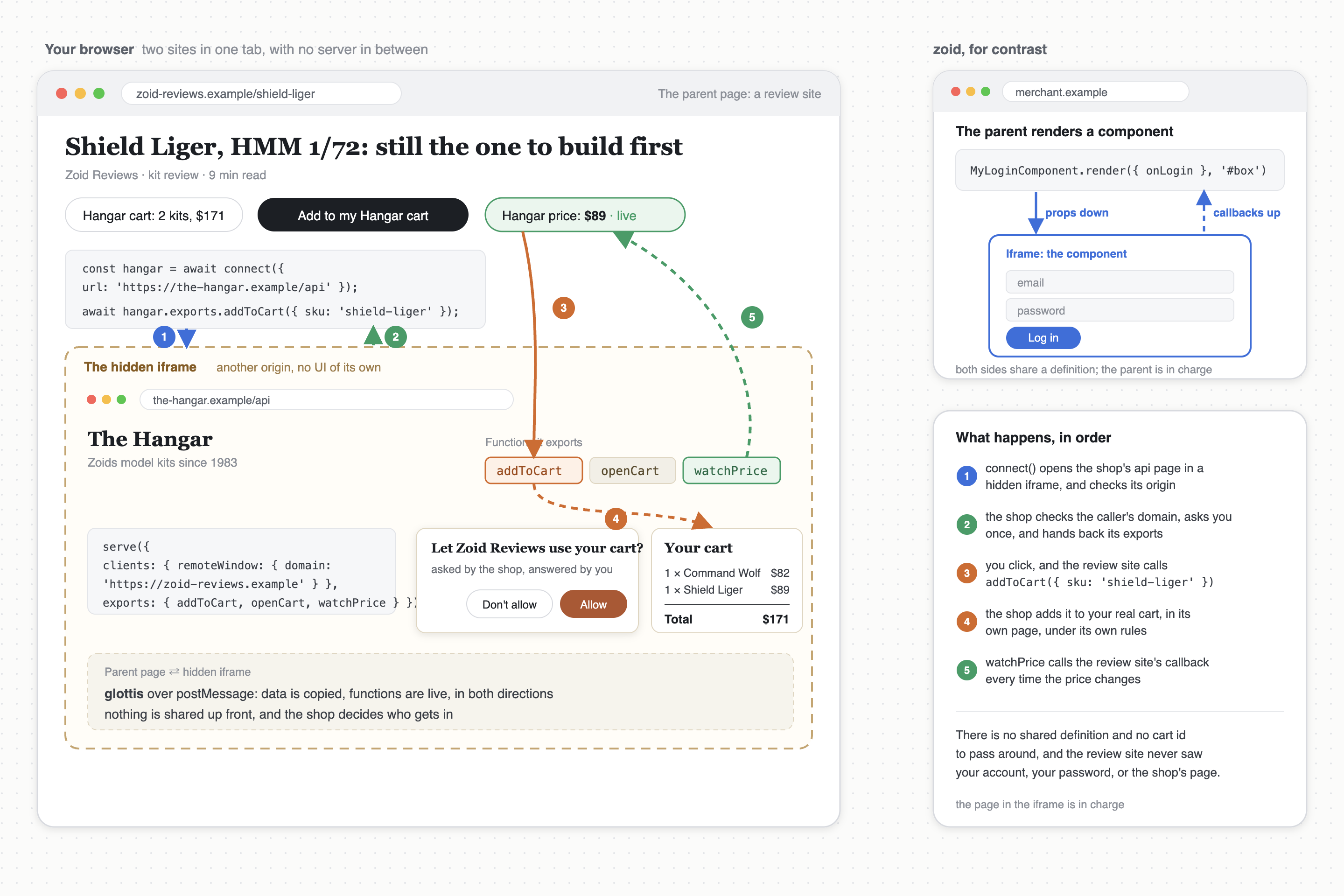
connect() opens the shop in a hidden iframe in the background, waits for it to announce itself, checks its origin, and hands back its exports. That's the whole integration.
Just bear in mind, most sites send X-Frame-Options or a frame-ancestors policy telling browsers not to let other sites frame them, and a page that does that will not load in a caller's iframe. So I serve my api from a small, dedicated page, like /api, which does nothing but call serve(), and I whitelist the same origins there that I list in clients.
You'll notice, neither the shop nor the review site ever had to:
- Publish or load a shared component definition.
- Create an iframe and insert it into the page.
- Set up a single post message listener.
- Agree on any message names.
It feels like I'm just calling a regular promise-returning function on my own page, but actually I'm calling a function on an entirely different site, on an entirely different domain
This is the whole thing in one picture, with the shop's side included:
Wait, isn't that just postMessage with extra steps?
Well, yeah, postMessage is what's going on underneath, technically speaking. In fact, it's really the only way to message across two different domains, unless you start throwing servers into the mix. But think you can just pick up postMessage and start firing messages? Think again:
- There are no responses or callbacks, which makes requesting data from another window and getting something back really tricky.
- Error handling is virtually non-existent. So is determining whether the other window ever received your message.
- You can't send more interesting data types over the wire, like functions, promises, error objects, etc.
glottis runs on post-robot, which solves all of that in one fell swoop, and which is the same messaging layer zoid has always used. My code doesnt even need to be aware that behind the scenes it's triggering post messages.
Functions should cross the boundary
This is my favorite feature of glottis, and it's the one I keep coming back to in everything I build for the browser.
glottis has one rule here: data is copied, functions are live. Crucially, it's not the function's code that gets sent across -- it's the ability of the function to be called in its original window, along with whatever closure scope it has. And that works in both directions, so I can pass callbacks in, and get objects with live methods out.
So let's grow the shop's api a bit. Instead of a single addToCart, it hands back a cart object with methods on it. And since Zoids go out of print and the price of a Liger Zero is anything but constant, it adds a watchPrice, which takes a callback and returns a function to stop watching:
// On the-hangar.example
serve({
    clients: {
        remoteWindow: {
            allowed: true,
            domain:  'https://zoid-reviews.example'
        }
    },

    exports: {
        openCart: () => {
            const cart = getCart();

            return {
                items: cart.items,

                add: ({ sku, quantity }) => {
                    return cart.add({ sku, quantity });
                },

                checkout: () => {
                    return cart.checkout();
                }
            };
        },

        watchPrice: ({ sku, onChange }) => {
            const stop = prices.subscribe(sku, onChange);

            return stop;
        }
    }
});
And the review site uses it like any other object:
// On zoid-reviews.example
const cart = await hangar.exports.openCart();

await cart.add({ sku: 'liger-zero', quantity: 1 });

const stop = await hangar.exports.watchPrice({
    sku:      'liger-zero',
    onChange: (price) => {
        priceTag.textContent = `$${ price }`;
    }
});

// later, when the review site no longer cares
await stop();
Notice there are no cart IDs anywhere. We didn't need to accept a cartId parameter, since we already had the cart in closure scope when we created the add function. The onChange callback I pass to watchPrice is called in the context of my page, with whatever closure scope it has, every time the price changes, and the function I get back stops that one specific subscription and nothing else, so at no point am I setting up a global listener, or picking an event name, or persisting some kind of unique id to match a response back up to the request that caused it.
You never have to release anything by hand, either. A function reference is released when the side holding it lets go of it and the browser collects it, or when the connection ends, whichever comes first.
All in all, this allows for some pretty cool composition of cross-window, cross domain code, now that both sides are dealing with function calls, not just message listeners and senders. In the component model, the only functions that ever crossed the boundary were the callbacks the parent passed down.
Who gets to call it?
A quick note on security. The clients block is where the page decides who it will talk to. Remote windows are off until you allow them, and allowing them needs a domain, so making a page public is always a deliberate choice you can see in the code:
domain: 'https://zoid-reviews.example'                     // one origin
domain: [ 'https://a.example', 'https://b.example' ]      // several
domain: /^https:\/\/([a-z]+\.)?partner\.example$/          // a pattern
domain: async ({ origin }) => allowlist.includes(origin)  // you decide
domain: '*'                                               // anyone
A caller whose origin is refused gets a DomainError from connect(), and the caller checks the other direction automatically: when you connect by url, glottis only talks to a page at that url's origin. So I can sleep easy knowing that it's not possible for a rogue window to call these functions, or for my calls to be answered by the wrong window or domain, under any circumstance
The page can also ask the user first. exports can be an async function, and the caller isn't answered until it returns:
serve({
    clients: {
        remoteWindow: { allowed: true, domain: '*' }
    },

    exports: async ({ client }) => {
        if (!await askTheUser(`Let ${ client.origin } use your cart?`)) {
            throw new Error('The user declined.');
        }

        return { openCart, watchPrice };
    }
});
The question is rendered inside the shop's own frame (so the caller has to give the shop a visible frame, or a popup -- more on that next), which means the review site can't click it; only the user can. And because the function runs for every connection, each new caller gets asked, and a caller the user allowed doesn't open the door for anyone else.
Where the page runs
By default the page runs in a hidden iframe, since most of the time an api has no UI to show, but sometimes it does: if the shop wants to ask the user something, or show a checkout, the caller can give it a visible iframe:
await connect({
    url,
    target: {
        type:      'iframe',
        container: '#checkout'
    }
});
Or a popup, for things like logging in or paying, where you really need a url bar to be present:
button.addEventListener('click', async () => {
    const hangar = await connect({ url, target: { type: 'popup' } });
});
(Browsers only open popups during a click, so call connect() directly in the click handler, before any await. glottis opens the window as its very first step.)
Cookie support is limited, by the way; with third-party cookie restrictions becoming more and more common, inside a hidden iframe the shop starts out signed out. The Storage Access API goes some way to solving this problem, and a popup is a top-level window with normal cookies, so between the two there's usually a way through. It helps callers if your exports say which state they got, for example a signedIn constant.
Where this is useful
Who would actually call this? Today, I think there are three kinds of caller.
The first is a parent page talking to an iframe, which is the zoid case turned around. Think of things like PayPal Checkout in an iframe, or a review site adding a kit to your cart on a shop, or a travel site embedding an airline's seat picker, where what you want from the other page is a few functions instead of a whole rendered component.
The second is a script on the same page. A serving page also gets window.glottis.connect(), so other code on the page, and browser extensions running in the page's main world, can use exactly the same api without a frame. This makes building an extension a whole lot easier: instead of manually scraping the DOM for each thing I want to read, and breaking every time the site ships a redesign, I just call the functions the page exposes, and glottis handles the messy parts to make it work!
The third is tests. A Playwright script can call checkout() too, instead of clicking through four screens.
The possibilities beyond that are pretty endless, and a few ideas which spring to mind immediately are (none of which glottis does yet):
- Two tabs of the same app, or a service worker, talking to each other.
- A native app, and the web page it embeds.
If you can think of another kind of caller, let me know and I'll add it here!
Why not just use ...?
A little googling shows up a bunch of projects which have done something similar in the past. These are all awesome, but none of them quite fit with what I was looking for, for a few reasons:
- zoid is mine, and it isn't going anywhere. The difference between zoid and glottis is, zoid is for components, where both sides share a definition and zoid renders the frame; glottis is for apis, where there's nothing to share, and the page can run hidden. The two fit together, since a zoid component's exports can be built on glottis.
- post-robot is also mine, and glottis actually runs on it. Use it directly if you want raw messages. glottis is the parts around them: opening the frame or popup, the handshake, props, reconnecting after navigation, and knowing who's allowed in.
- Penpal is the closest in spirit; it does a handshake, then gives you methods. But arguments and results appear to be copied across as plain data, so there doesn't seem to be any way to send a callback, or get back an object with methods on it. You also create and manage the iframe yourself.
- Comlink is great for Web Workers. But functions only make it across if you wrap each one in
Comlink.proxy(), which gets tedious fast for nested objects, and references stay alive until you release them by hand. Opening frames, handshakes and origin checks are all left as an exercise to the reader.
So we're good?
Yes, and no.
glottis goes a long way. But there are certain problems a mere javascript library can not solve, and a few it doesn't solve yet:
- Popups and
Cross-Origin-Opener-Policydon't mix; if either page sendssame-origin, there's literally no way for the popup and its opener to talk to each other. - It's very much 0.x: no cancelling a call in progress yet, no callers in an extension's isolated world, and no version negotiation between seperate releases.
Try it
npm install glottis
Or drop in the script tag and use window.glottis:
<script src="https://unpkg.com/glottis@0/dist/glottis.min.js"></script>
Everything is on GitHub, and it's on npm as glottis. It's MIT licensed, and very much 0.x, so expect things to change.
If you're writing any kind of cross domain system, and the thing you want from the other page is an api and not a component, give glottis a try. Hopefully it'll make your life a little more sane! Pull requests are also totally welcome, if you're interested in improving the library.
Thanks!
-Daniel
Comments
Join the discussionNo comments yet. Be the first to comment.